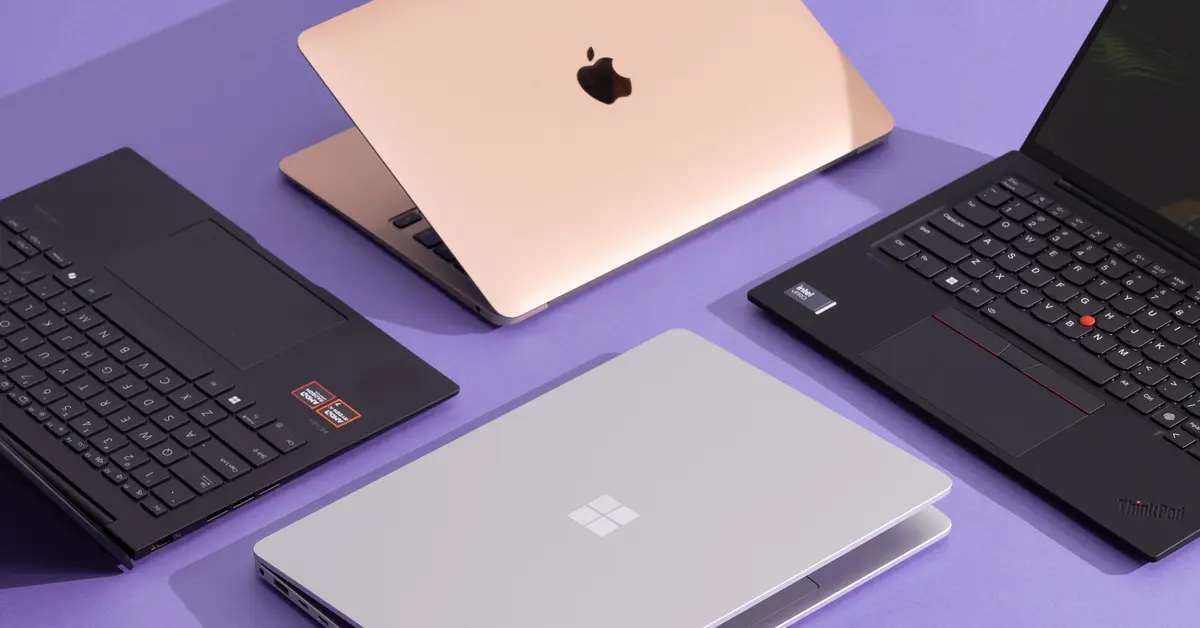
Cybersecurity isn’t just a job—it’s a battlefield. As a cybersecurity professional, your laptop is your sword and shield, protecting sensitive data while fending off digital threats. Whether you’re an ethical hacker running Kali Linux or a student diving into penetration testing, choosing the right laptop can make or break your workflow. I remember my first pentest gig, juggling virtual machines on a sluggish laptop that crashed mid-scan—frustrating doesn’t even begin to cover it. This article dives into the key features to consider when selecting a cybersecurity laptop, blending practical advice with real-world insights to help you find the perfect machine.
Why Cybersecurity Laptops Are Unique
Cybersecurity tasks demand more than just a shiny ultrabook. From running resource-heavy virtual machines to analyzing massive datasets, these laptops need raw power and ironclad security. A weak machine can slow you down or, worse, expose vulnerabilities. Let’s explore what makes a laptop fit for this high-stakes field.
The Stakes Are High
Unlike casual users, cybersecurity pros handle sensitive data that hackers would love to exploit. A laptop with robust hardware and security features is non-negotiable. Think of it as a digital fortress—built to withstand attacks while powering complex tasks like encryption or network analysis.
Key Feature #1: Powerful Processor (CPU)
The processor is the heart of your cybersecurity laptop. Tasks like running multiple virtual machines or cracking passwords demand serious computing power. An Intel Core i7/i9 or AMD Ryzen 7/9 is ideal for seamless performance.
Why It Matters
Imagine running a penetration test with Metasploit while a virtual machine chugs in the background. A weak CPU will stutter, costing you time and focus. Modern processors like Intel’s 13th-gen or AMD’s Ryzen 7040 series also include built-in security features, making them a must-have for pros.
Key Feature #2: Ample RAM (16GB or More)
RAM is your laptop’s short-term memory, and cybersecurity tasks are memory hogs. Running VMs, analyzing logs, and multitasking require at least 16GB of RAM, with 32GB being the sweet spot for advanced work.
Multitasking Without the Lag
Picture this: you’re analyzing a Wireshark capture, running a VM with Kali Linux, and compiling code simultaneously. Insufficient RAM turns this into a nightmare of frozen screens. More RAM means smoother operations, letting you focus on the task, not the loading bar.
Key Feature #3: Fast SSD Storage (512GB or More)
Solid State Drives (SSDs) are a game-changer for cybersecurity work. They offer lightning-fast boot times and quick access to large datasets, which is critical for tools like forensic analyzers or packet sniffers.
Speed Is Security
I once waited 10 minutes for a sluggish HDD to load a forensic image—time I didn’t have during a live incident response. SSDs, especially NVMe models with 512GB or 1TB capacity, ensure you’re not stuck waiting when seconds count.
Key Feature #4: Operating System Compatibility
Cybersecurity tools often thrive on Linux-based systems like Kali or Parrot OS. Your laptop must support Linux natively or via dual-boot, though Windows and macOS have their place for specific tasks.
Linux: The Hacker’s Choice
Most cybersecurity tools are built for Linux, offering a vast library of pre-installed utilities. Windows is great for corporate environments with features like BitLocker, while macOS offers stability but limited tool compatibility. Choose a laptop that plays nice with your preferred OS.
Key Feature #5: Robust Security Features
A cybersecurity laptop needs to walk the talk with hardware-based security. Features like Trusted Platform Module (TPM) 2.0, Secure Boot, and biometric authentication protect your data from physical and digital threats.
Your Laptop, Your Fortress
I once had a scare when a client’s laptop lacked TPM, leaving sensitive data vulnerable. Features like fingerprint scanners or webcam privacy switches add layers of protection, ensuring your machine isn’t the weak link.
Key Feature #6: Portability and Battery Life
Cybersecurity pros are often on the move, whether at a client site or a coffee shop. A lightweight laptop with long battery life (8+ hours) ensures you stay productive without being tethered to a power outlet.
Work Anywhere, Anytime
During a field assessment, my heavy gaming laptop died mid-session due to poor battery life. Laptops like the Lenovo ThinkPad X1 Carbon or MacBook Air M2 combine portability with endurance, letting you work uninterrupted.
Key Feature #7: High-Resolution Display
A crisp, high-resolution display (Full HD or 4K) is vital for analyzing logs, reading code, or managing multiple windows. Anti-glare screens are a bonus for working in bright environments.
See the Details Clearly
Squinting at blurry logs during a late-night analysis session is a recipe for mistakes. A 15-inch or larger display with sharp visuals reduces eye strain and boosts efficiency, especially for multitasking.
Key Feature #8: Connectivity and Ports
Cybersecurity tasks often require external devices like USB drives, YubiKeys, or Wi-Fi adapters. A laptop with multiple USB ports (including USB-C), HDMI, and Ethernet is a must.
Stay Connected
I once struggled to connect a Wi-Fi adapter for a pentest because my laptop lacked enough ports. A versatile port selection, including Thunderbolt or DisplayPort, ensures you’re ready for any setup.
Top Cybersecurity Laptops in 2025: A Comparison
Here’s a rundown of some top laptops that balance performance, security, and portability for cybersecurity professionals. Each excels in specific areas, so let’s compare their key specs.
| Laptop Model | Processor | RAM | Storage | OS Compatibility | Security Features | Battery Life | Price |
|---|---|---|---|---|---|---|---|
| Dell XPS 15 | Intel i7-13700H | 16GB | 512GB SSD | Linux/Windows | TPM 2.0, Fingerprint | ~8 hours | ~$1,500 |
| Lenovo ThinkPad X1 Carbon | Intel i7-1365U | 32GB | 1TB SSD | Linux/Windows | TPM 2.0, Secure Boot | ~10 hours | ~$1,800 |
| Apple MacBook Pro M3 | Apple M3 Max | 16GB | 512GB SSD | macOS/Linux (VM) | Secure Enclave | ~12 hours | ~$2,000 |
| Acer Aspire 5 | AMD Ryzen 7 5700U | 16GB | 512GB SSD | Linux/Windows | Fingerprint Scanner | ~7 hours | ~$700 |
| HP Spectre x360 | Intel i7-1365U | 16GB | 1TB SSD | Linux/Windows | TPM 2.0, Webcam Cover | ~9 hours | ~$1,400 |
Dell XPS 15: The All-Rounder
The Dell XPS 15 combines a stunning 4K OLED display with powerful hardware, making it ideal for multitasking and Linux-based tools. Its sleek design is a bonus for professionals on the go.
Lenovo ThinkPad X1 Carbon: The Secure Choice
Known for enterprise-grade security, the ThinkPad X1 Carbon offers Linux pre-installation and a lightweight build. It’s a favorite for pros who prioritize durability and security.
Apple MacBook Pro M3: The macOS Powerhouse
For macOS fans, the MacBook Pro M3 delivers unmatched battery life and performance. Its Secure Enclave ensures top-tier security, though Linux compatibility requires virtualization.
Acer Aspire 5: The Budget Pick
The Acer Aspire 5 proves you don’t need to break the bank. With solid specs and Linux support, it’s perfect for students or budget-conscious pros.
HP Spectre x360: The Versatile 2-in-1
This convertible laptop offers flexibility with its touchscreen and stylus support. Its high-resolution display and security features make it a strong contender.
Pros and Cons of Cybersecurity Laptops
Dell XPS 15
- Pros: Stunning display, powerful performance, Linux-friendly.
- Cons: Premium price, moderate battery life.
Lenovo ThinkPad X1 Carbon
- Pros: Lightweight, robust security, long battery life.
- Cons: Expensive, less vibrant display.
Apple MacBook Pro M3
- Pros: Excellent battery life, secure ecosystem, high performance.
- Cons: High cost, limited Linux compatibility.
Acer Aspire 5
- Pros: Affordable, decent performance, Linux support.
- Cons: Basic build quality, shorter battery life.
HP Spectre x360
- Pros: Versatile design, vibrant display, strong security.
- Cons: Slightly pricey, heavier than ultrabooks.
People Also Ask (PAA)
What is the minimum RAM needed for a cybersecurity laptop?
A minimum of 16GB RAM is recommended for cybersecurity tasks. For advanced work like running multiple VMs, 32GB is ideal to ensure smooth performance.
Is a dedicated GPU necessary for cybersecurity?
Not always, but a dedicated GPU like NVIDIA RTX can boost performance for tasks like password cracking or malware analysis. Integrated graphics suffice for most tasks.
Can a MacBook be used for cybersecurity?
Yes, MacBooks like the Pro M3 are great for cybersecurity, especially with macOS’s security features. However, Linux-based tools may require virtualization software.
Why is Linux compatibility important for cybersecurity laptops?
Many cybersecurity tools, like Kali Linux, are designed for Linux environments. A laptop that supports Linux natively or via dual-boot is essential for seamless tool usage.
Where to Buy Cybersecurity Laptops
- Official Brand Stores: Dell, Lenovo, and Apple’s websites offer customization and warranties. Check Dell’s official site or Lenovo’s store for deals.
- Reputable Retailers: Amazon and Best Buy provide competitive pricing and fast shipping. Always verify the seller to avoid pre-installed malware risks.
- Refurbished Options: Sites like Back Market offer enterprise-grade refurbished laptops at lower prices, ideal for budget-conscious pros.
FAQ
How much should I spend on a cybersecurity laptop?
Expect to spend $700–$2,000, depending on your needs. Budget options like the Acer Aspire 5 work for students, while premium models like the MacBook Pro suit pros.
Are gaming laptops good for cybersecurity?
Gaming laptops, with their powerful CPUs and GPUs, can handle cybersecurity tasks but are often bulky with shorter battery life. Consider portability before choosing one.
What’s the best OS for cybersecurity?
Linux distributions like Kali or Parrot OS are preferred for their toolsets. Windows is useful for corporate environments, while macOS offers stability but limited tool support.
Should I prioritize battery life or performance?
It depends on your workflow. If you’re often on the go, prioritize battery life (8+ hours). For desk-based work, focus on performance with a strong CPU and RAM.
Can I upgrade my laptop’s RAM or storage later?
Many laptops, like the ThinkPad X1 Carbon, allow RAM or storage upgrades. Check the model’s specs before buying to ensure future-proofing.
Final Thoughts
Choosing a cybersecurity laptop is like picking the right tool for a heist—precision matters. Prioritize a powerful CPU, ample RAM, fast SSDs, and robust security features to stay ahead of threats. Whether you’re a student or a seasoned pro, models like the Dell XPS 15 or Lenovo ThinkPad X1 Carbon offer the perfect blend of power and portability. Invest wisely, and your laptop will be your trusted ally in the digital trenches. Ready to shop? Start with trusted retailers or brand stores to find the best deals. Stay secure, stay sharp!